
AI Knowledge Bases in CRM: The Ultimate Guide to Automated Answers

Ineel, Marketing Executive interviews Edward Rochford, CEO and Tabish Alam, CRM Expert at Ascent
Customer service teams are under more pressure than ever before. Ticket volumes keep rising, customer expectations are high, and many businesses are still relying on static FAQs and phone calls to keep up with demand. The result is predictable: slow responses, inconsistent answers, and support teams drowning in repetitive queries.
AI knowledge bases in CRM systems are now changing this entirely. Knowledge bases absorb everything your organisation already knows – including years of support logs, fixes, resolutions, and internal expertise – and turn these insights into automated answers that customers and agents can rely on instantly. In this guide, we’ll explain what AI knowledge bases are, how they work, why AI in CRM matters, and how to implement them to deliver operational efficiency for your business.
What is an AI Knowledge Base?
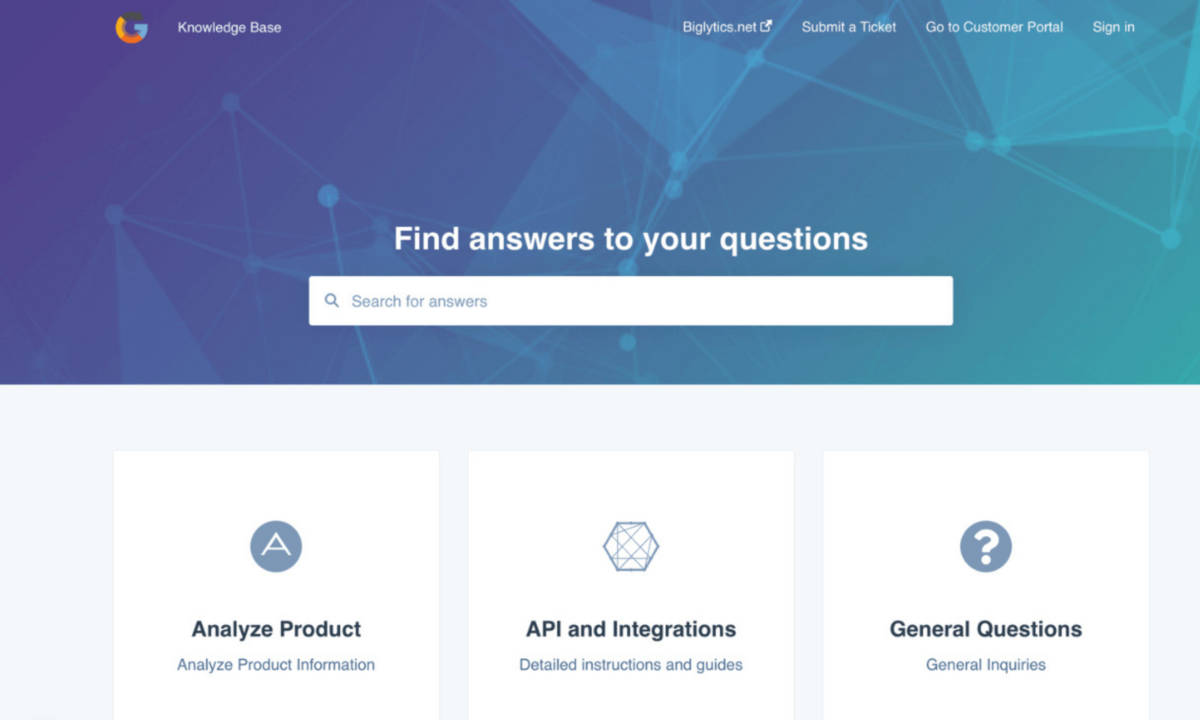
An AI knowledge base is the central store of all answers, articles, and processes your business uses to resolve customer issues faster. Traditionally, this information is stored in folders, documents, or helpdesk systems. This may be useful for reference, but it’s slow to surface when replying to your customers. It also becomes harder to scale as ticket volumes pile up.
An AI knowledge base in CRM goes one step further. It reads, structures, and understands your historical support data so your CRM can deliver the right answer instantly. Instead of relying on keyword searches or manual browsing, AI interprets the intent behind a question and retrieves the most accurate response from a data set. The system facilitates this by stripping the information down using a Large Language Model (LLM) in the AI. This speeds up searching for information and automates answers to your customers’ most common queries.
How to Turn Years of Support Logs Into Automated Answers With AI
Most organisations have decades of customer support knowledge stored in ticketing systems, company IP, email threads, and audit trails. AI knowledge bases unlock this by analysing every historical interaction, identifying patterns, and restructuring this information into a clean, indexable knowledge model. From there, a chatbot can answer queries from your customers electronically, and solve the vast majority of problems at first attempt without human intervention. This reduces the workload on your first line support teams.
This transformation in customer service matters. Knowledge bases replace thousands of disconnected logs with a single, intelligent source of truth. When a customer asks a question your team solved years ago, the CRM can now answer it in real-time. This is possible even if the original fixes were never documented. AI converts years of experience and IP into operational efficiency for your business.
The Core Problems AI Knowledge Bases Solve
1. Repetitive Queries That Drain Capacity
Every customer support team deals with the same questions over and over. Payment dates, password resets, delivery updates and product specifications are the most common queries. AI eliminates this workload by answering predictable queries automatically, freeing your team to focus on higher‑value conversations which lead to revenue opportunities.
2. Inconsistent Answers Across the Business
Different agents often give different responses to the same issue. In regulated environments, this is inefficient and risky. AI enforces consistency and data governance by ensuring all your customers receive the same, correct answer every time. This assists your business in delivering speed of service, and achieving ISO 9001 accreditations.
3. Knowledge Trapped in People’s Heads
When expertise lives with individuals, your business becomes vulnerable. AI centralises knowledge in one dedicated space, protects company IP, and reduces onboarding time for your new starters.
How Automated Answers Work in CRM
AI‑powered knowledge bases integrate directly into your CRM, enabling automated answers across every channel:
- Suggested articles appear as customers type their query
- Bots handle first‑line questions, resolving issues instantly
- FAQs update automatically based on real ticket patterns
- Answers surface across chat, email, portals, and CRM screens
For business leaders, the result is a customer support experience that feels faster, more consistent and effortless. Customers receive the same answer whether they contact you via chat, email, phone or portal.
Agent Assistance: Helping Your Team Work Faster
Automated answers aren’t just for customers. AI knowledge bases also support your internal teams with:
- Instant answer suggestions during live conversations
- Consistent responses across departments
- Faster onboarding for new agents
- Reduced escalations and fewer errors
- Better alignment with ISO 9001 standards and regulatory compliance
As a result, your team becomes more consistent, confident and efficient in dealing with new enquiries.
Why AI Knowledge Bases Matter in Regulated Environments
In industries where accuracy is non‑negotiable such as payroll, finance, healthcare or insurance, inconsistency leads to complaints, fines, or contract losses for your business. AI knowledge bases remove that risk by standardising responses and providing a clear audit trail of how answers are generated. They also absorb peak‑time pressure by handling predictable queries automatically, reducing operational strain on your customer support team.
How AI Creates New Knowledge Automatically
AI doesn’t just retrieve existing answers – it also identifies gaps. When customers ask questions that don’t match any of your existing articles, AI analyses the context, finds related information, and generates new content by remixing. Over time, your AI knowledge base becomes a live system that scales with your business and enhances with every customer interaction.
How to Implement an AI Knowledge Base in Your CRM
1. Gather your historical data
Export your ticket logs, email threads, FAQs, and internal documents.
2. Clean and structure the information
Remove duplicates, merge similar issues, and categorise topics for relevance.
3. Train the AI model
Feed the structured data into your CRM’s AI LLM.
4. Deploy automated answers
Enable bots, suggested articles, and self‑service portals.
5. Enable agent assistance
Provide your team with access to the same knowledge base.
6. Monitor and refine
Review accuracy, add missing articles, and optimise prompts.
The ROI You Can Expect
Businesses adopting AI knowledge bases typically see:
- 30–70% reduction in repetitive tickets
- Faster response times and higher CSAT
- Lower operational costs
- Fewer escalations and reduced handling time
- Improved compliance
- More consistent customer experience
The impact is immediate and measurable for your business.
Automated Answers Are Now Essential in CRM
AI knowledge bases are no longer a future concept – they are a practical, operational tool that transforms how your support teams work. Knowledge bases reduce admin, improve consistency, and scale your customer service without increasing headcount. Automated answers to the most common queries are ideal for businesses looking to elevate their CRM to deliver outstanding, reliable customer support.
If you need help implementing this within your CRM, our CRM consultants can map out the exact steps based on your requirements, unique business model and existing platform.
Ready to automate frequently asked questions with AI?
Book a discovery call with one of our consultants
Email us: info@ascentbusiness.co.uk
Call us: +44 (0) 121 392 8140
About the Authors

Ineel Kler
Growth Marketing Executive

Edward Rochford
Chief Executive Officer

Tabish Alam
Senior Consultant